Education & Technologies

About LMSACE
Our team has over a decade of experience in the online learning sector, and we’ve worked with schools/colleges/businesses from across Europe, Asia and America. If you’re already using Moodle™ software for your online learning platform, you can still take advantage of many of the services we offer, such as theme design, custom development, training, and support.
Find Us Our Location
- Address
- info@lmsace.com
- +91-9894821918

Prepup
Project Info
We redesigned the entire Moodle frontend to build PrepUp into a premium-quality Moodle theme. The theme introduces updated layouts, enhanced navigation, and a polished design system suitable for educational institutions, training companies, and coaching centers.
1. Homepage:
We crafted a modern, user-friendly homepage featuring a bold full-width banner, quick-access feature tiles (Register, Online Classes, Payment, etc.), and a fully redesigned footer with essential links—delivering a clean, intuitive browsing experience.
2. Teachers dashboard:
We design an intuitive Teacher Dashboard that gives educators a clear, organized snapshot of their classroom activity. The dashboard includes a personalized welcome panel, quick metrics for enrollments and grading tasks, course-wise enrollment analytics, completion-rate charts, and shortcuts to recently accessed courses. Our design helps teachers manage classes faster, track progress effortlessly, and stay focused on teaching.
3. Class Activity:
We designed the Class Activity block to give learners a quick snapshot of their course progress. It highlights each subject with clear progress bars and instant access to continue learning with a single click.
4. Learning Planner:
We created the Learning Planner to help users organize and track their study plans effortlessly. It lists key learning topics, categories, and cohorts in a clean, structured layout for easy planning and progress management.
5. Course info:
The page includes a compact sidebar with icons and short labels that highlight key course details, such as duration, level, access, certification, instructor support, and downloadable resources. This features block appears at the top for quick scanning and helps users understand core benefits immediately.
6. Info Tab:
Tabbed navigation organizes the main content into sections like Overview, Curriculum, Instructor, Reviews, and FAQs. This structure keeps information clear, easy to explore, and supports a smooth user experience without overwhelming the page.
7. Course page:
Designed clean and responsive course cards displaying essential details at a glance, including course title, category, instructors, number of users, and start date. Each card features subtle visual hierarchy, hover effects, and quick-action menu icons, allowing users to browse, filter, and manage courses efficiently within the LMS interface.
- Client: Prepup
- Date: May 2020
- Category: Theme Development

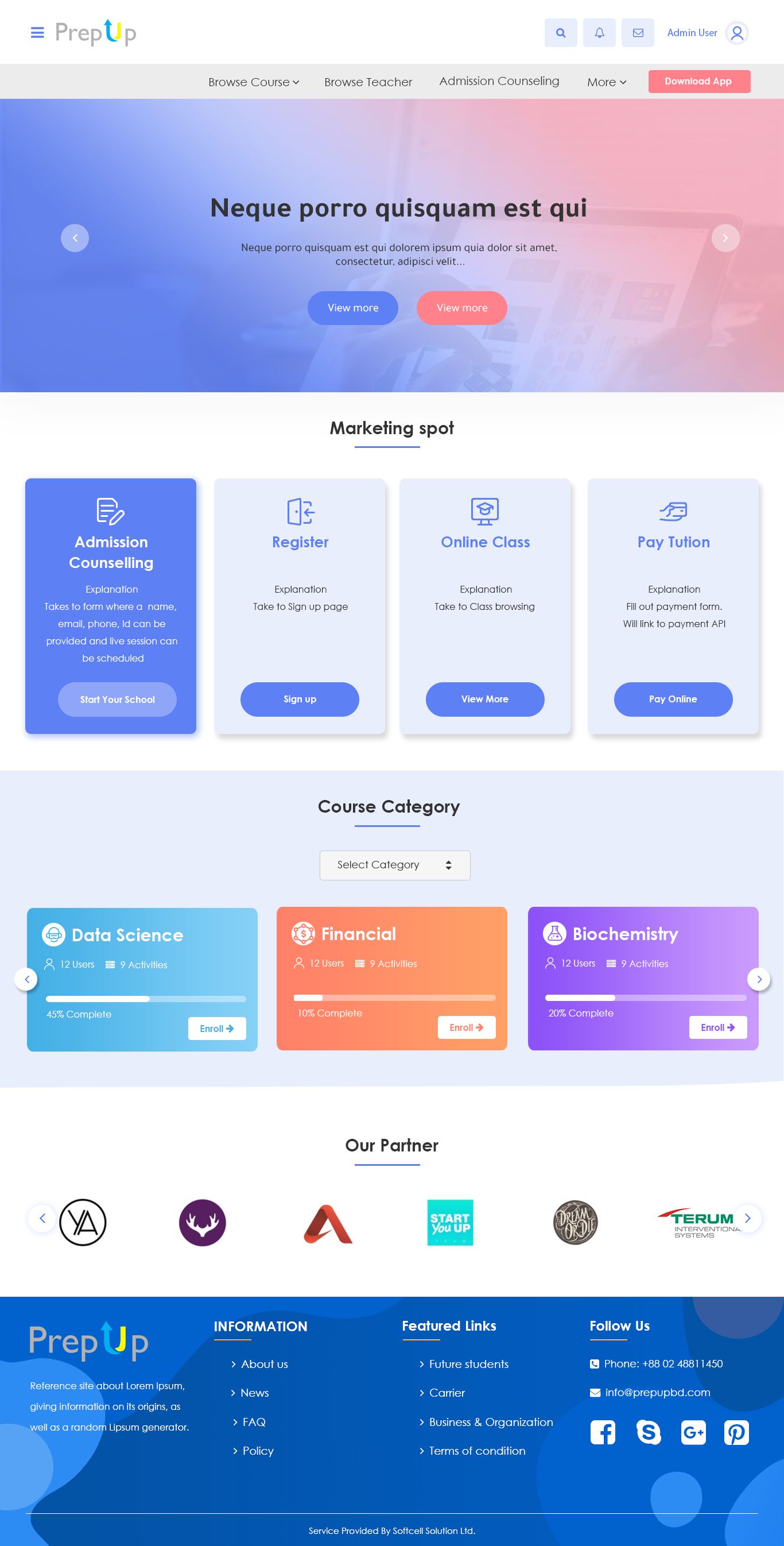
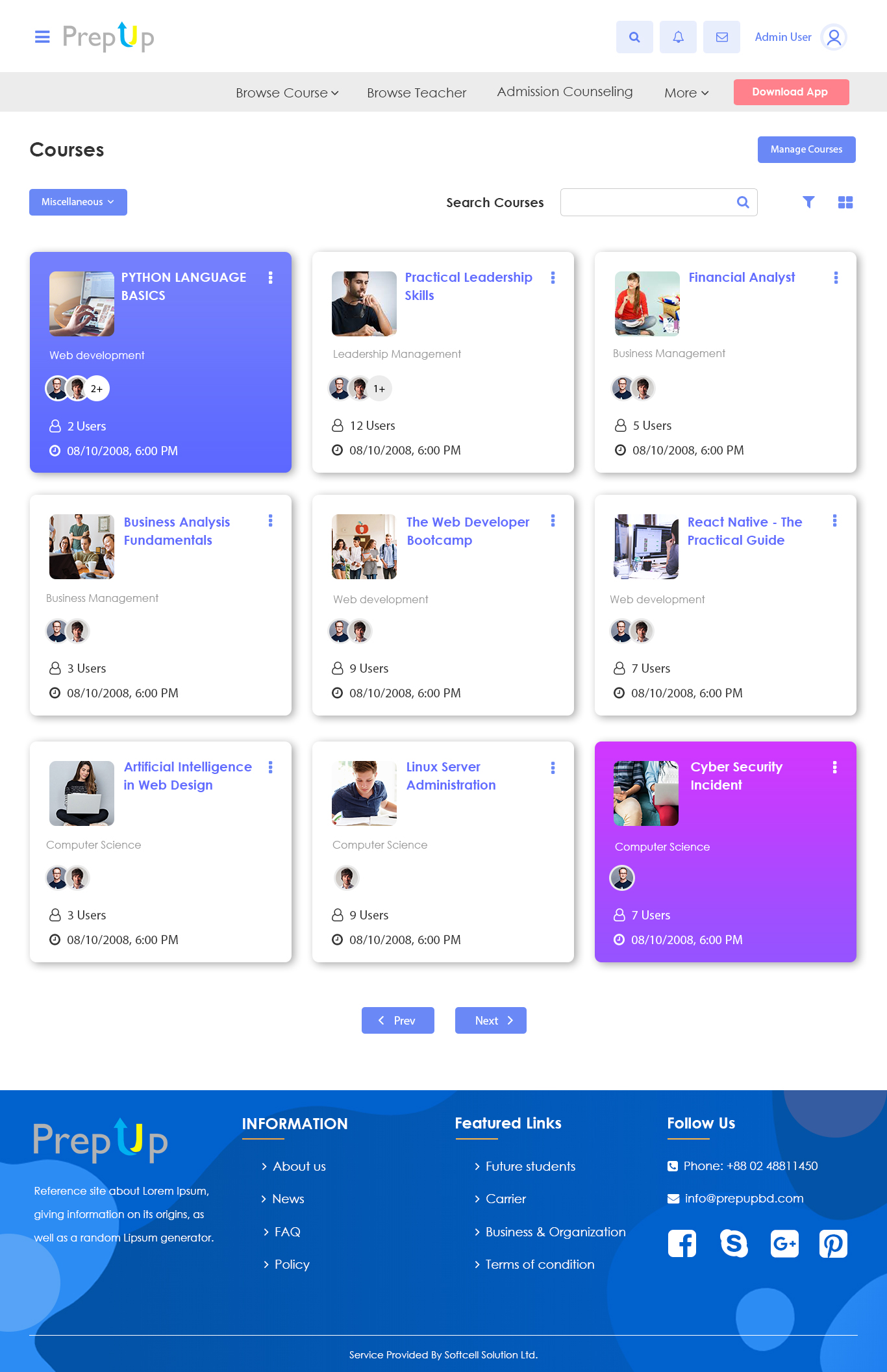
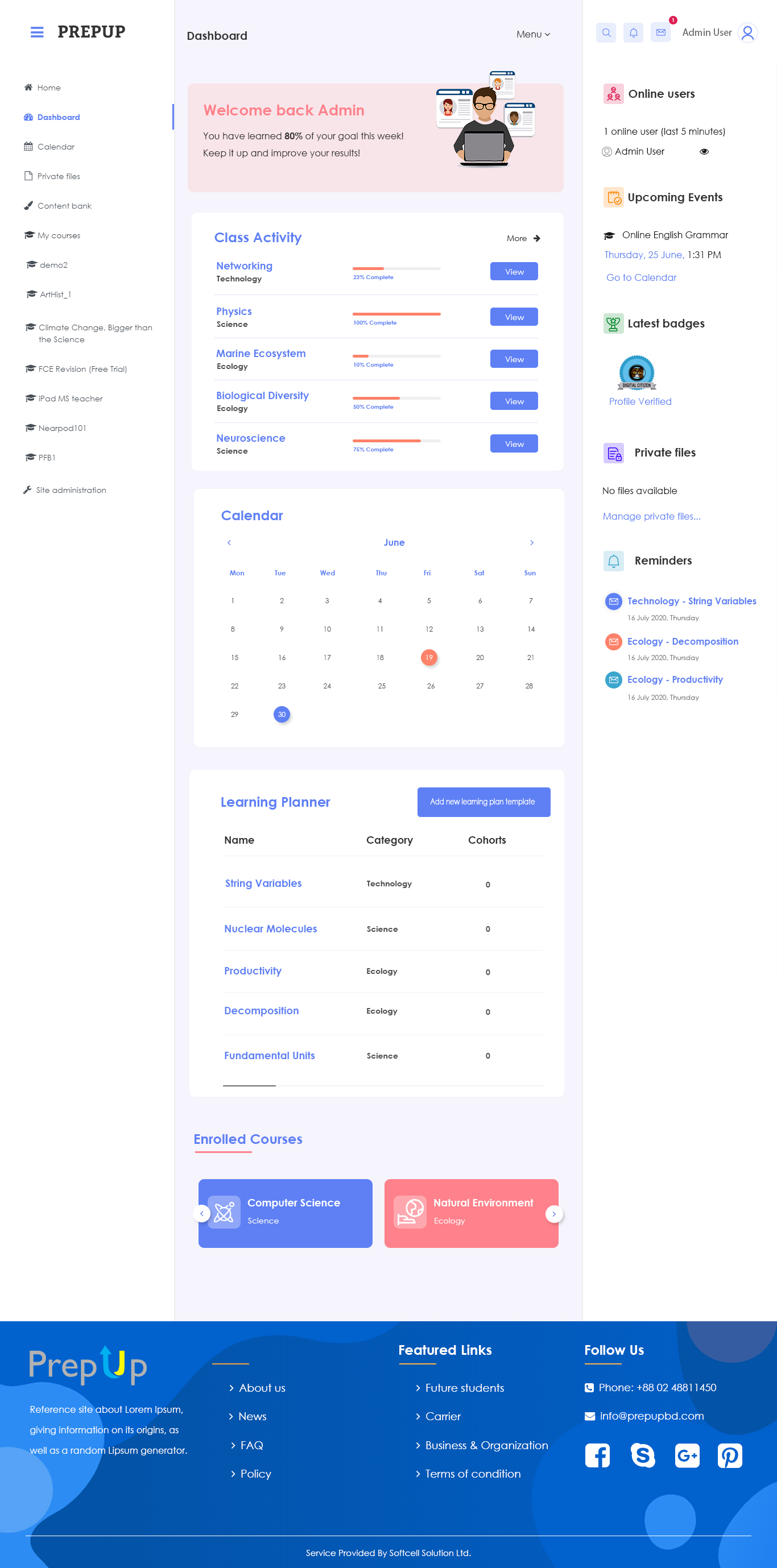
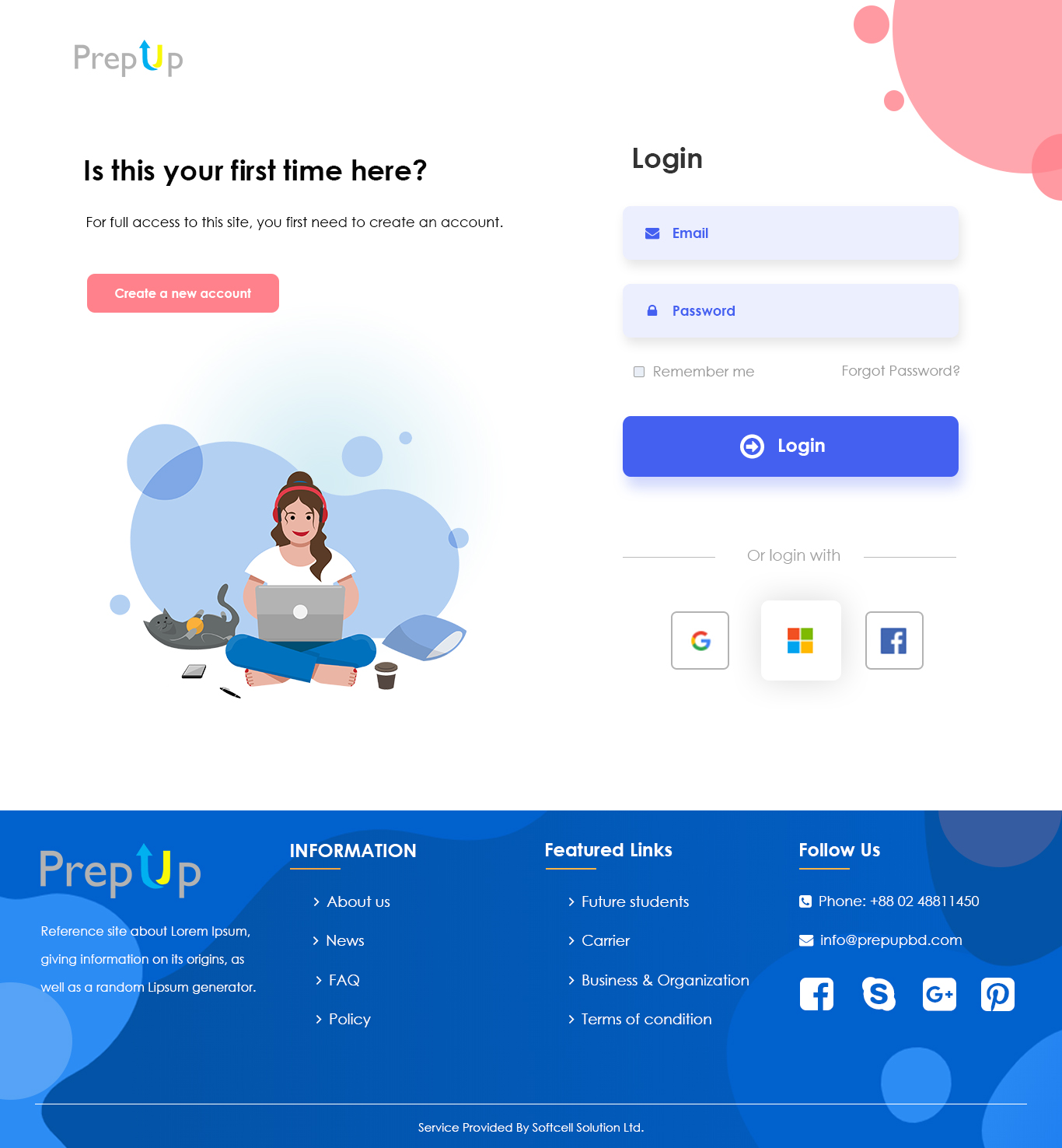
The "Prepup" theme offers a customized and visually appealing interface for Moodle, designed to create a more engaging and immersive learning environment. It aims to improve the overall user experience for both instructors and students by providing an intuitive and user-friendly interface.